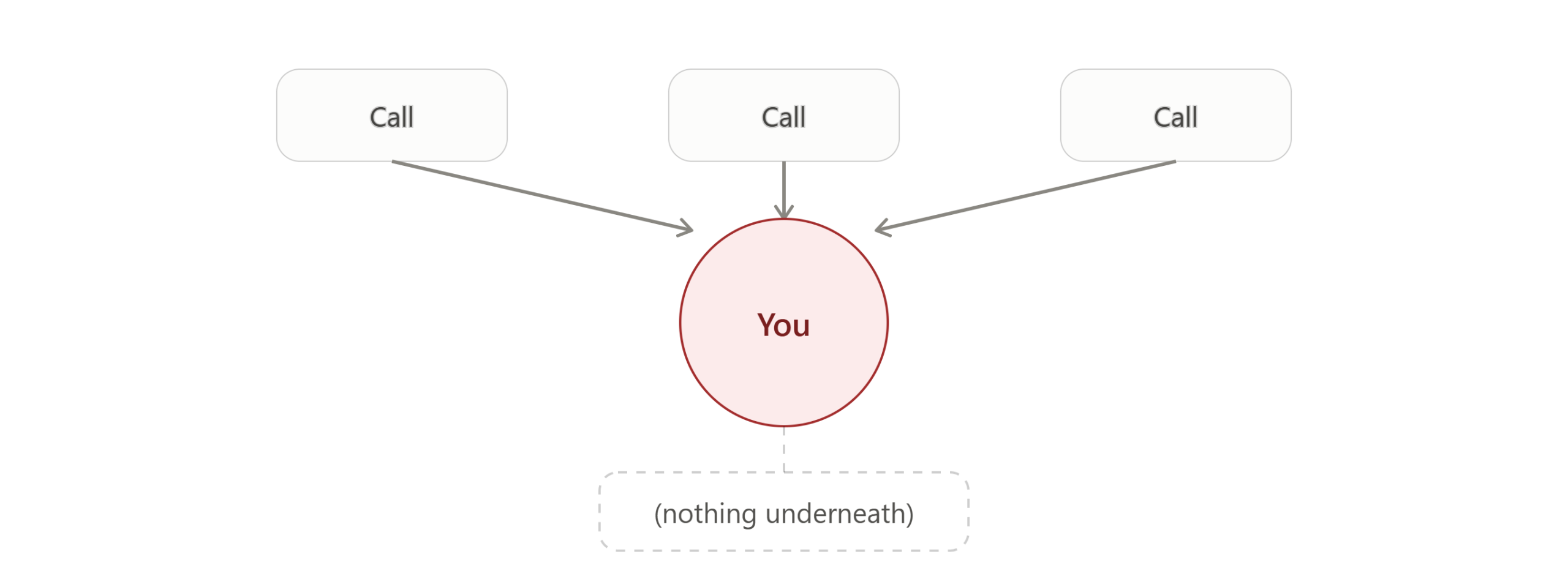
Right now, you’re the reason deals close.
Not because you’re the best closer — because you’re the one person who actually knows the product cold. The pricing nuance that changed last month. The feature that’s almost ready but isn’t. The thing a customer asked about in week two that you’ve answered forty times since. None of that lives in a document. It lives in you.
That works fine until you hire your first salesperson. Then it becomes the actual bottleneck: either you sit in on every call, or you hand off customer conversations to someone who doesn’t yet know what you know — and hope the gaps don’t show.
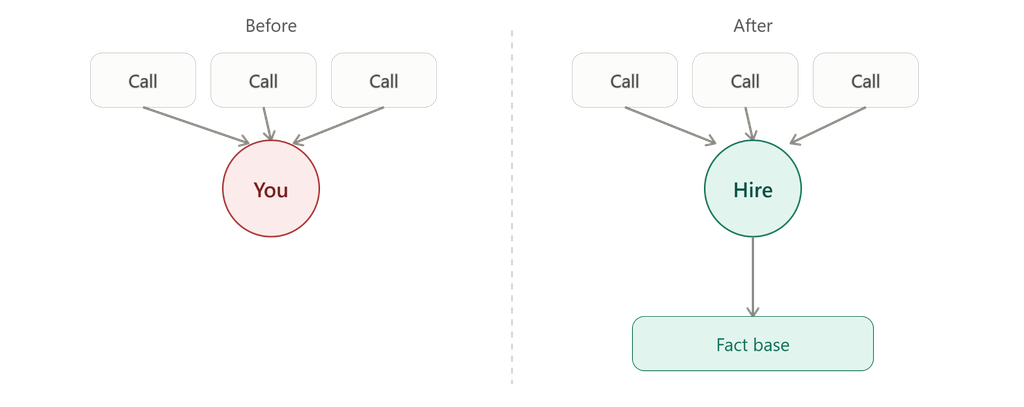
The real risk isn’t a slow ramp. It’s confident wrong answers.
A new hire who says “let me check on that” is annoying but safe. The expensive version is a new hire who sounds exactly like you, uses your language, answers fast — and gets a detail wrong with total confidence, because nobody ever checked what they actually learned versus what they think they learned.
For a ten-person company, that’s not a training problem you can staff your way out of. There’s no enablement team. There’s just you, the docs you’ve already written, and however many hours you have left after everything else.
Turn what you already have into the onboarding
You almost certainly already have the raw material for this: your website, maybe a pricing page, a spec sheet, an FAQ doc that answers the same questions over and over. EOS turns that material into both the onboarding curriculum and the thing that checks whether it actually landed — without you writing a single training doc from scratch.
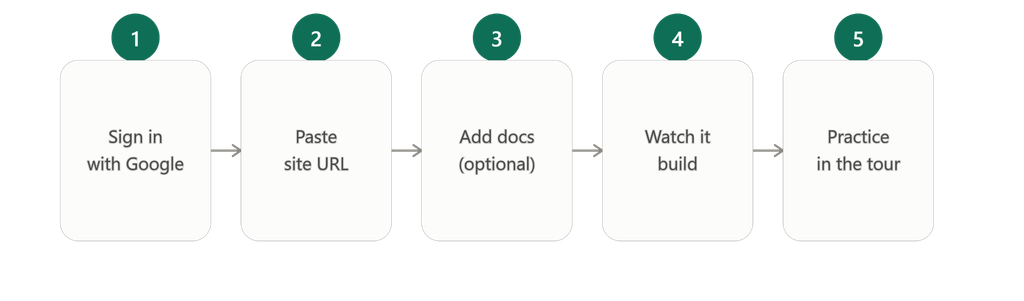
Setup is close to this simple: sign in with Google, paste your company website URL, optionally upload a handful of product docs if you have them, and watch it build. There’s no minimum document count — the website alone is enough to start, and docs are just extra grounding if you have them. If you’re running a startup sales ramp with one or two products, both get used automatically; there’s no extra setup step to pick which ones matter.
The whole thing is built around a guided first walkthrough, not a blank dashboard: it pulls your company and product details, generates a handful of customer personas — usually around six — for you to choose from along with a demeanor, and lets you run an actual practice conversation right there — not a canned demo. First roleplay typically takes minutes, not hours.
What your new hire actually does
Once you’ve invited them, a new teammate skips your setup entirely and lands straight in the app. They pick from the generated personas, choose a demeanor, and run a short practice conversation.
Finishing the conversation doesn’t score it by itself — someone (you or the new hire) opens that session and runs the evaluation, a short confirm from the Sessions list. Once that’s done, it’s checked against the same fact base you set up from your site and docs, and each claim gets tagged. If the resulting knowledge score comes in below 80, the system automatically builds a follow-up quiz targeted at exactly what they got wrong in that session — not a generic refresher, and not something you have to build yourself.
What you actually see as the founder
This is the part that matters most for first sales hire onboarding: you don’t have to sit in on the call to know how it went, and you don’t get pinged for every small mistake either.
Once a session has been evaluated — a short confirm from the Sessions list — you get a report: each factual claim your new hire made, tagged as correct, partially correct, incorrect, or unsupported, with the reasoning behind each tag. As an admin, you land on your own personal dashboard first, then switch over to the org view for the wider picture: team average score, quiz accuracy, and a “needs attention” list that flags anyone who’s gone quiet for about a week or whose scores or quiz results are slipping. You open it when you have five minutes, not every time someone finishes a call.
See it work on your own product first. Paste your site, watch it build practice personas, and run a real conversation in minutes. [Start free at app.akaeos.com →]
A few things worth knowing before you sign up
This is a young product feature set, and it’s worth being upfront about what it does and doesn’t do yet, since you’ll notice within your first ten minutes:
- You’ll need a public website URL to get started — the current setup flow is built around that, not a docs-only signup.
- You don’t assign a specific scenario or curriculum to a specific hire. They pick from a generated persona and practice; there’s no scenario template library or manager-assignment workflow yet.
- Up to five core products get used automatically. With one or two, both get used — no extra step to pick which matter. More than five core products, and the system picks five, with the rest sitting pending until you approve them. Smaller supporting or accessory items can land in that pending state too, even in a small catalog.
- The first practice conversation runs on auto-extracted facts — there’s no manual fact-checking step before that first roleplay happens.
- The quiz bank can still be generating when you get to that step. It usually catches up shortly after, though the exact timing isn’t guaranteed.
None of these are dealbreakers for a ten-person team — they’re just worth knowing so nothing feels like a bug when it’s actually how the product currently works.
Start free, seriously
Five seats, including you, with no time limit and no credit card. The free tier itself never expires — adding a sixth person just means upgrading first. One small thing worth knowing when you send the invite: it’s tied to the Google account your teammate actually signs in with, so make sure that’s the one you invite.
If you’re about to make your first sales hire, the fastest way to find out if this fits is to try it on your own site before you decide anything.
Your first hire’s ramp shouldn’t live only in your head. Start free with up to 5 seats at app.akaeos.com — no credit card, no time limit. Curious about the architecture behind the verification layer? [Download the full whitepaper].

Leave a Reply