The head of sales enablement had seen enough demos to know they all looked the same.
Realistic voices. Slick personas. Roleplays that felt genuinely conversational. Every vendor checked those boxes. Every vendor claimed their platform would transform her team’s performance.
But she had been burned before. The last platform she’d bought looked great in the demo and delivered nothing in practice. It graded tone, not truth. It generated content, not proof.
This time, she came prepared with a checklist.
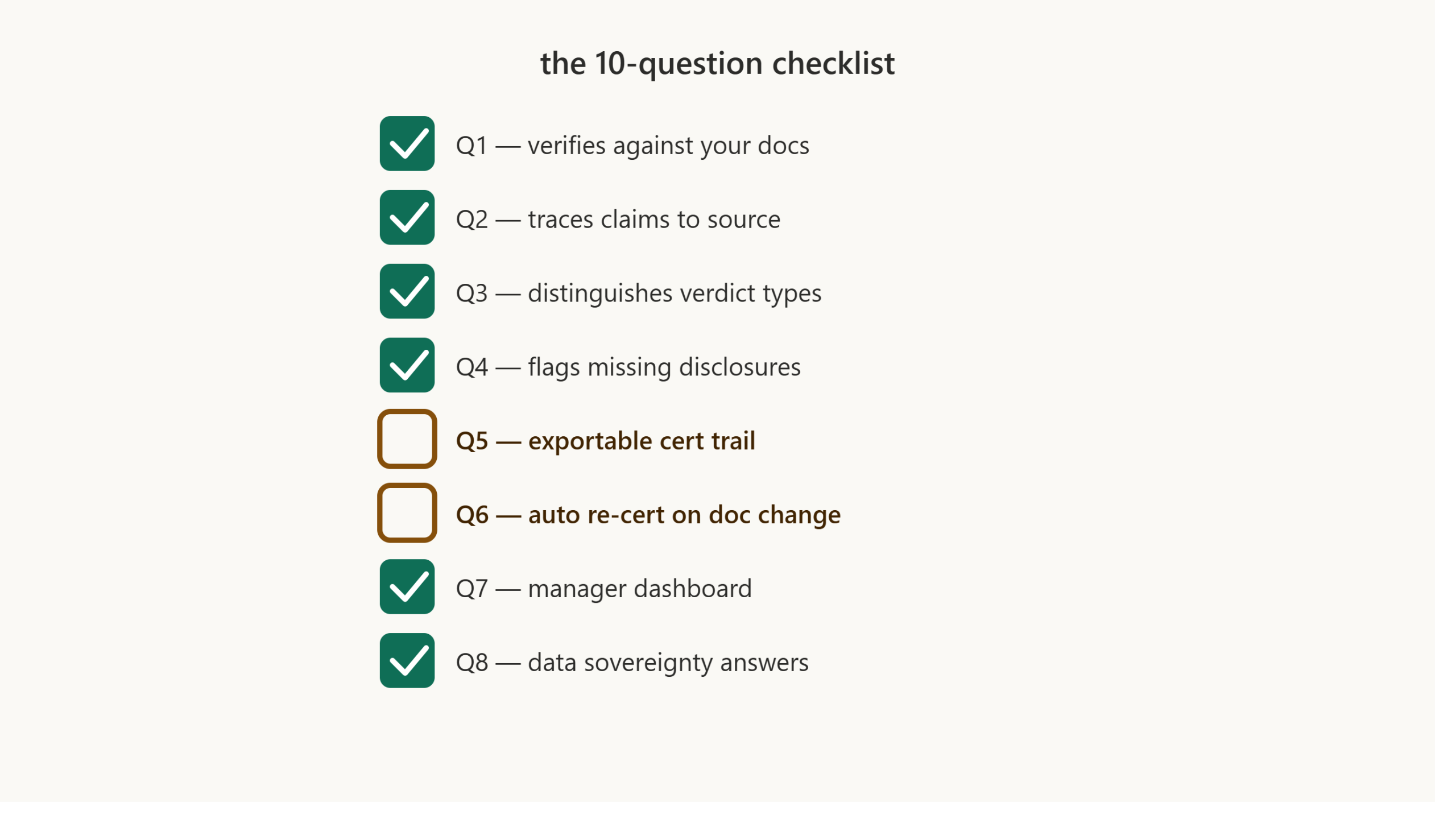
She had found a blog post that listed ten specific questions to ask in every vendor demo. Not generic ones — the kind that separate platforms that actually verify facts from ones that just sound impressive.
She ran every vendor through the same ten questions. What she found wasn’t one vendor who said yes to everything. It was one vendor who was willing to say “not yet” — and could prove the rest.
This is the story of how one insurtech company used a simple checklist to separate real capability from empty promises.
The setup: a complex product, a skeptical buyer
The company sells cyber insurance and technology errors & omissions (E&O) coverage to mid-market tech companies. Their product is complex: policy terms vary by industry, coverage limits shift with risk profiles, and exclusions change as new regulations emerge.
Their sales team of 55 reps sells through brokers and directly to businesses. Every conversation involves multiple policy details — coverage limits, exclusions, claims processes, premium calculations. One wrong statement can mean a denied claim, a regulatory fine, or a lost customer.
The head of sales enablement had been tasked with finding a training platform that would actually reduce factual errors — not just make reps sound more confident. She had learned the hard way that a good demo doesn’t predict good outcomes. This time, she needed a way to test what vendors were actually capable of — not just what they claimed.
The test: ten questions, three vendors
She found a checklist that asked ten specific questions. She adapted it for her own evaluation and ran every vendor through the same process. Four of those questions did most of the work.
Q1: Does it verify factual claims against your own documentation, rather than general model knowledge?
All three vendors said yes. She asked the follow-up: “So if I upload my own policy documents, will the platform check claims against those specific documents — or against what the model generally knows about cyber insurance?”
Vendor A and Vendor C both confirmed: claims are checked against the customer’s own uploaded documentation, not general model knowledge. Vendor B hedged: “our model is trained on industry-standard information.” That was a different, weaker claim — a flag she wrote down and kept testing.
Q3: Does it distinguish contradicted claims from vague or incomplete ones — including missing disclosures?
Vendor A showed a binary right/wrong system. A claim was either correct or incorrect. No middle ground.
Vendor B showed a system with “partially correct” as an option — but couldn’t explain how the platform decided when to use it.
Vendor C showed a four-verdict system: correct, incorrect, unsupported, and partially correct — for a claim that’s right on the main point but missing a qualifier. They walked through a specific example where a rep had missed a required compliance disclosure and the platform flagged it as partially correct, with the transcript quote and a plain-language explanation tied to the policy requirement. When she asked whether that counted as a citation to the exact policy passage, the vendor was direct: not yet — today it’s a reasoned explanation, not a pull-quote from the source document. She noted that as a real gap, and also as the most honest answer she got all day.
Q5: Does it produce an exportable certification trail — claims tested, document versions, dates?
Vendor A said “yes, we have session history.” She asked to see an exportable, dated certification record. They showed a dashboard with timestamps — not a document she could hand to an auditor.
Vendor B said “we’re working on that feature.”
Vendor C said, plainly: “Not yet. You can see and export session-level results today, but a consolidated certification trail tied to document versions isn’t built. It’s on our roadmap, not something I’ll tell you we have.” It was the same underlying gap as Vendor B’s — but stated as a fact instead of a future promise.
Q6: When your documentation changes, does existing certification automatically expire and re-test?
Vendor A said “we recommend retraining after major updates.” Vendor B said “managers can manually reassign quizzes.” Vendor C said: “Today, that’s a manual step for us too. When a policy document changes, a manager has to trigger the retest — it doesn’t happen automatically yet.” Three different vendors, three versions of the same current limitation — but only one said so without being pushed.
What the checklist revealed
By the end of the demos, the head of sales enablement had a clear picture — and it wasn’t the one she expected.
Vendor A couldn’t verify claims against specific documents with full confidence and had no real exportable certification trail. Vendor B’s “partially correct” verdict turned out to be a feature nobody on the sales team could explain. Both had sounded impressive in the first five minutes of the demo.
Vendor C didn’t pass every question. It was upfront that Q5 and Q6 weren’t solved yet. But everywhere it said yes, it could show her — the four-verdict logic, the specific example, the reasoning behind a “partially correct” call. And everywhere it said no, it said so plainly, without repackaging a gap as a “coming soon” feature.
“The checklist didn’t just tell me which vendor was better. It told me which vendors were describing features they didn’t actually have — and which one was willing to tell me ‘not yet’ to my face. In an industry where we sell risk disclosure for a living, that mattered more to me than a perfect scorecard.”
Have you run the ten-question checklist on your vendor? Our 12-page report, Beyond Roleplay: The Rise of the Sales Knowledge Engine, includes the full checklist, the reasoning behind each question, and the six data-sovereignty questions to ask before any data leaves your environment. [Download the whitepaper →]
Why the checklist worked
The checklist wasn’t designed to be difficult. It was designed to be specific.
Generic questions — “do you verify product knowledge?” — get generic answers. Every vendor says yes. The checklist asked the follow-up questions that separate real capability from marketing claims: Can you show me the underlying reasoning? Can you show me an exportable record? What happens when a document changes — and if the answer is “not yet,” will you just say so?
These questions don’t require technical expertise. They require the vendor to show their work, including the parts that aren’t finished. And a vendor’s willingness to say “we don’t do that yet” turned out to be as informative as any feature demo.
The insurtech company in this story learned that lesson the hard way with their previous platform. This time, they came prepared. And the checklist saved them from mistaking a confident demo for a finished product a second time.
The takeaway for sales leaders
If you’re evaluating AI sales training platforms, you need a way to separate real capability from marketing claims.
Every demo looks good. Every vendor sounds impressive. But when you ask the right follow-up questions — the ones that test what “yes” actually means, and give a vendor room to say “not yet” — the differences become clear.
The ten-question checklist from that blog post isn’t complicated. It’s specific. It asks vendors to show their work, gaps included. The insurtech company in this story used it to avoid buying a platform that oversold what it could do — and picked the one that told them the truth instead.
Stop trusting demo-day promises. Ask EOS these ten questions and we’ll show you exactly where we stand — claim verification against your own docs, four verdicts including “partially correct,” and an honest answer on the two we haven’t solved yet. Start free with up to 5 seats at app.akaeos.com, or [download the full whitepaper].

Leave a Reply