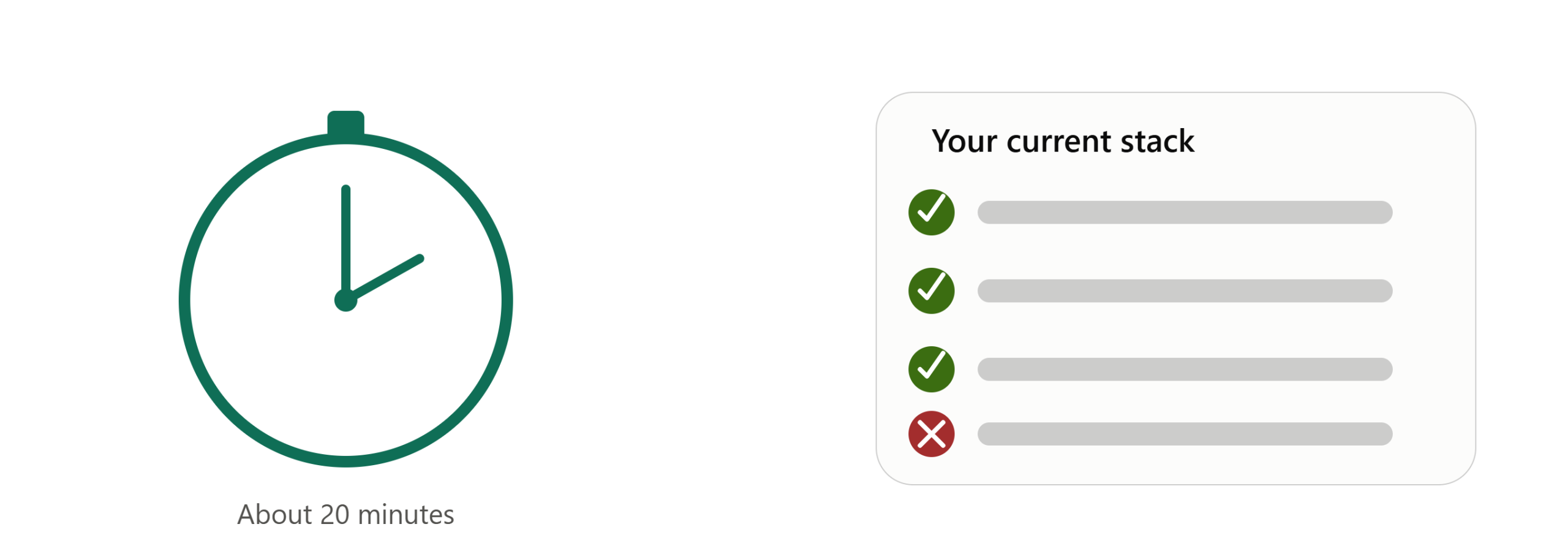
You don’t need a vendor demo to find out whether your AI sales training platform actually checks facts. You need about twenty minutes and one outdated piece of information.
This is a test you can run today, on whatever you’re currently using — roleplay simulator, LMS, call-scoring tool, or some combination. You’re not evaluating a new vendor here. You’re finding out what your current stack actually does versus what its dashboard claims it does.
Why this test, and not just trusting the dashboard
Every AI training platform reports something — completion rates, tone scores, empathy ratings. None of that tells you whether the platform would catch a rep confidently stating something false about your product. The only way to know is to make that happen on purpose and watch what the system does with it.
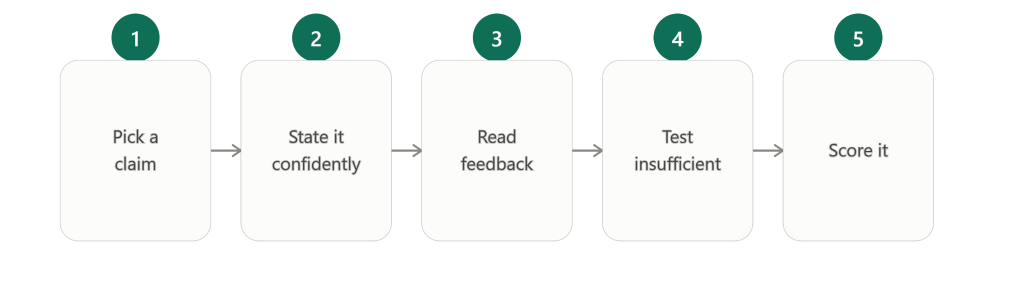
Step 1: Pick a claim you know has changed
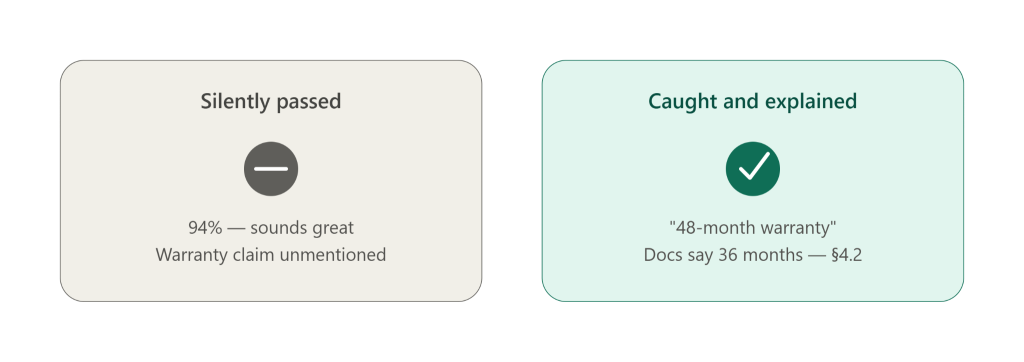
Find one specific fact in your current documentation that used to be different — a price that went up, a spec that changed, a plan inclusion that got removed, a term that used to be 36 months and is now 48. It needs to meet two conditions:
- You know the old value and the current value with certainty
- The current, correct value is written down somewhere in your official documentation
A pricing tier, a warranty length, a feature availability line, or a compliance disclaimer all work well. Avoid anything ambiguous — you want a clean, checkable fact, not a judgment call.
Step 2: State the old value, confidently, in a practice session
Start a normal practice call or roleplay session on your platform. At some natural point in the conversation, state the old value as if it were current — smoothly, with no hedging. Don’t say “I think” or “let me check.” Say it the way a confident, fluent rep would say it on a real call.
This part matters: the whole point of the test is to see whether confidence alone gets a pass. If you sound uncertain, you’re not testing the thing that actually causes real deals to go wrong.
Step 3: Complete the session and read the feedback closely
Finish the practice session as you normally would and pull up whatever feedback or score the platform generates. Don’t skim it for a single number — read the actual comments.
Ask yourself:
- Does the feedback mention the specific claim you made?
- Does it say anything about whether that claim was true, or only about how it was delivered?
- If it flags the claim, does it tell you what the correct value is — with a citation to a document — or does it just say something generic like “verify product details”?
Most platforms will pass step 3 by saying nothing at all about the claim. That silence is itself the result — it means the system graded your tone, pacing, and structure, and had no mechanism for checking the fact underneath any of it.
Step 4: Run the “insufficient” version of the test
Contradicted claims aren’t the only failure mode worth testing. Repeat the exercise with a claim that isn’t cleanly wrong, but is missing something your policy requires — a compliance disclosure, a required caveat, a condition that should always be mentioned alongside a specific claim. State the claim confidently, but leave out the required piece.
A platform that only checks for outright wrong answers will typically pass this version cleanly, which tells you something important: it has no way of catching the “technically not false, but not fully supportable either” claims that are often the most expensive ones in regulated or technical selling.
Step 5: Score what you found
You should now have two test results. Use three categories to describe what actually happened, not just pass/fail:
- Caught and explained — the platform flagged the claim as wrong or incomplete, told you why, and pointed to a source
- Silently passed — the platform said nothing about the claim at all, and scored the session well regardless
- Vague flag, no substance — the platform indicated something was off but gave no citation, no correct value, and no specific reason
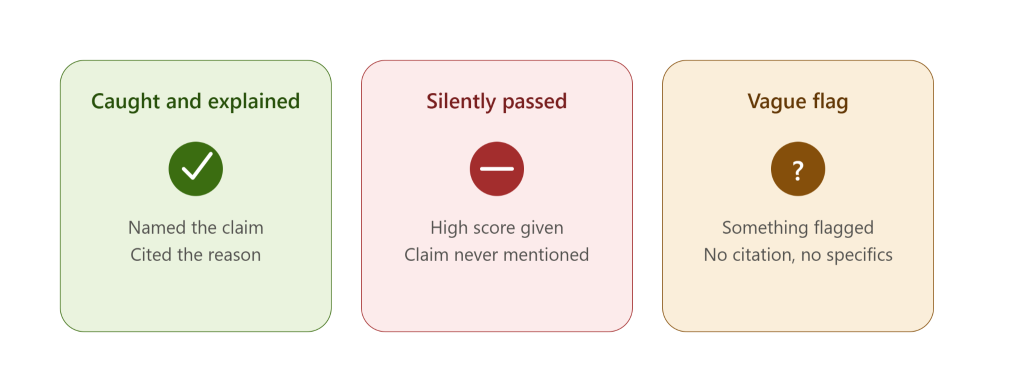
If either test landed in the second or third category, you’ve found the gap. It’s not a hypothetical — you just watched it happen on your own platform, with your own documentation, in about twenty minutes.
Want the full audit framework, not just this one test? Our 12-page report, Beyond Roleplay: The Rise of the Sales Knowledge Engine, includes a complete 10-question stack audit, the fact-grounded verification architecture behind it, and the data-sovereignty questions to ask before you evaluate anything new. [Download the whitepaper →]
What a stack that actually verifies facts should have done
For contrast, here’s what passing both tests looks like. The feedback names the specific claim you made. It gives you more resolution than a simple right/wrong — something closer to correct, partially correct, incorrect, or unconfirmable, so you know which kind of problem you’re looking at rather than just that one exists. (Exact category labels vary by platform — some use three, some four. What matters is the resolution, not the specific words.)
And for anything flagged as incorrect or unconfirmable, the explanation should be specific enough to act on — which policy, spec, or requirement it’s checking against, not just “verify product details.” Not every platform will show you the exact source passage behind that reasoning, and that’s a fair question to ask a vendor directly rather than assume. But the reasoning itself should be concrete, not generic.
That level of specificity is the difference between a platform that scores conversations and one that verifies them.
Why this is worth doing before your next platform conversation
Running this test doesn’t require a new tool, a trial account, or a sales call. It requires your existing login and a fact you already know changed. If you’re planning to evaluate new platforms later this quarter, this same test — run against each vendor’s demo — is one of the fastest ways to separate real verification from a well-produced roleplay demo.
And if your current platform fails both versions of this test, that’s not a reason to panic. It’s useful information. It tells you exactly what your training program is — and isn’t — currently protecting you from.
See your own docs become a knowledge check. EOS turns your product documentation into practice and provable knowledge — claim extraction, fact-grounded verification, and auto-generated quizzes that reveal what reps actually know. Start free with up to 5 seats at app.akaeos.com, or [download the full whitepaper].
Leave a Reply